



Heartlands High School Logo
  • About Us
    • School Vision
    • Admissions
    • Term Dates
    • Key Staff List
    • Ofsted
    • Pupil Premium
    • Policies & Privacy Notices
      • Policies & Privacy Notices
      • Freedom of Information
    • Governance
    • Annual Report and Financial Statement
    • School Lettings
    • Curriculum Overview
    • School Calendar
  • Parents
    • Uniform expectations
    • Back to School checklist!
    • Parental Calendar
    • Safeguarding your Child
      • Latest Safeguarding news!
      • The Child Protection team/reporting
      • Internet Safety Advice
      • Parents’ Guide to Teaching Your Teen Online Safety
      • Supporting Your Child’s Mental Health & Wellbeing
      • Place2Be
    • Anti-Bullying
    • School Day
    • Year 7 Literacy and Numeracy Catch-Up Premium
    • School Meals
    • Parent Pay
    • SEND
    • Family support
  • Students
    • GCSE Options
    • Reporting a Concern
    • How we teach at Heartlands
    • Essential equipment for school
    • Enrichment and clubs
    • Music at HHS
    • Home work
    • Sounds of Heartlands!
    • Examinations
      • Exam timetable 2026
      • Exam Stress Support!
      • Year 11
      • Years 7, 8 & 9
      • Year 10
      • Exam Regulations and Policies
      • Resources
      • Certificates
    • PSHE
    • Library
      • Library
      • Reading lists
    • Careers
      • Year 11 Post-16 Choices
      • Careers Education
      • Current Provision
      • Careers Bulletin
      • Useful Information
      • Destinations
      • Alumni registration
    • Lost Property
    • Student Handbook
  • News & Letters
    • Latest News
    • Letters
    • Newsletter
  • Join us
    • Staff: Current Vacancies
    • Staff: Benefits Package
    • Staff: Support & Development
    • Staff: Equality and Diversity
    • Staff: Safeguarding
  • Transition
    • Student Transition September 2025
    • Transition FAQs
Heartlands High School Logo
  • About Us
    • School Vision
    • Admissions
    • Term Dates
    • Key Staff List
    • Ofsted
    • Pupil Premium
    • Policies & Privacy Notices
      • Policies & Privacy Notices
      • Freedom of Information
    • Governance
    • Annual Report and Financial Statement
    • School Lettings
    • Curriculum Overview
    • School Calendar
  • Parents
    • Uniform expectations
    • Back to School checklist!
    • Parental Calendar
    • Safeguarding your Child
      • Latest Safeguarding news!
      • The Child Protection team/reporting
      • Internet Safety Advice
      • Parents’ Guide to Teaching Your Teen Online Safety
      • Supporting Your Child’s Mental Health & Wellbeing
      • Place2Be
    • Anti-Bullying
    • School Day
    • Year 7 Literacy and Numeracy Catch-Up Premium
    • School Meals
    • Parent Pay
    • SEND
    • Family support
  • Students
    • GCSE Options
    • Reporting a Concern
    • How we teach at Heartlands
    • Essential equipment for school
    • Enrichment and clubs
    • Music at HHS
    • Home work
    • Sounds of Heartlands!
    • Examinations
      • Exam timetable 2026
      • Exam Stress Support!
      • Year 11
      • Years 7, 8 & 9
      • Year 10
      • Exam Regulations and Policies
      • Resources
      • Certificates
    • PSHE
    • Library
      • Library
      • Reading lists
    • Careers
      • Year 11 Post-16 Choices
      • Careers Education
      • Current Provision
      • Careers Bulletin
      • Useful Information
      • Destinations
      • Alumni registration
    • Lost Property
    • Student Handbook
  • News & Letters
    • Latest News
    • Letters
    • Newsletter
  • Join us
    • Staff: Current Vacancies
    • Staff: Benefits Package
    • Staff: Support & Development
    • Staff: Equality and Diversity
    • Staff: Safeguarding
  • Transition
    • Student Transition September 2025
    • Transition FAQs
Heartlands High School Logo
  • About Us
    • School Vision
    • Admissions
    • Term Dates
    • Key Staff List
    • Ofsted
    • Pupil Premium
    • Policies & Privacy Notices
      • Policies & Privacy Notices
      • Freedom of Information
    • Governance
    • Annual Report and Financial Statement
    • School Lettings
    • Curriculum Overview
    • School Calendar
  • Parents
    • Uniform expectations
    • Back to School checklist!
    • Parental Calendar
    • Safeguarding your Child
      • Latest Safeguarding news!
      • The Child Protection team/reporting
      • Internet Safety Advice
      • Parents’ Guide to Teaching Your Teen Online Safety
      • Supporting Your Child’s Mental Health & Wellbeing
      • Place2Be
    • Anti-Bullying
    • School Day
    • Year 7 Literacy and Numeracy Catch-Up Premium
    • School Meals
    • Parent Pay
    • SEND
    • Family support
  • Students
    • GCSE Options
    • Reporting a Concern
    • How we teach at Heartlands
    • Essential equipment for school
    • Enrichment and clubs
    • Music at HHS
    • Home work
    • Sounds of Heartlands!
    • Examinations
      • Exam timetable 2026
      • Exam Stress Support!
      • Year 11
      • Years 7, 8 & 9
      • Year 10
      • Exam Regulations and Policies
      • Resources
      • Certificates
    • PSHE
    • Library
      • Library
      • Reading lists
    • Careers
      • Year 11 Post-16 Choices
      • Careers Education
      • Current Provision
      • Careers Bulletin
      • Useful Information
      • Destinations
      • Alumni registration
    • Lost Property
    • Student Handbook
  • News & Letters
    • Latest News
    • Letters
    • Newsletter
  • Join us
    • Staff: Current Vacancies
    • Staff: Benefits Package
    • Staff: Support & Development
    • Staff: Equality and Diversity
    • Staff: Safeguarding
  • Transition
    • Student Transition September 2025
    • Transition FAQs

Internet Safety Advice


We are committed to ensuring that students are safe when using the internet at Heartlands High School. Nonetheless, much of a child’s internet usage occurs outside of school, and we ask parents/carers to be interested, supportive and vigilant to their children’s usage. This page has been designed to give you information that will support you in this role.

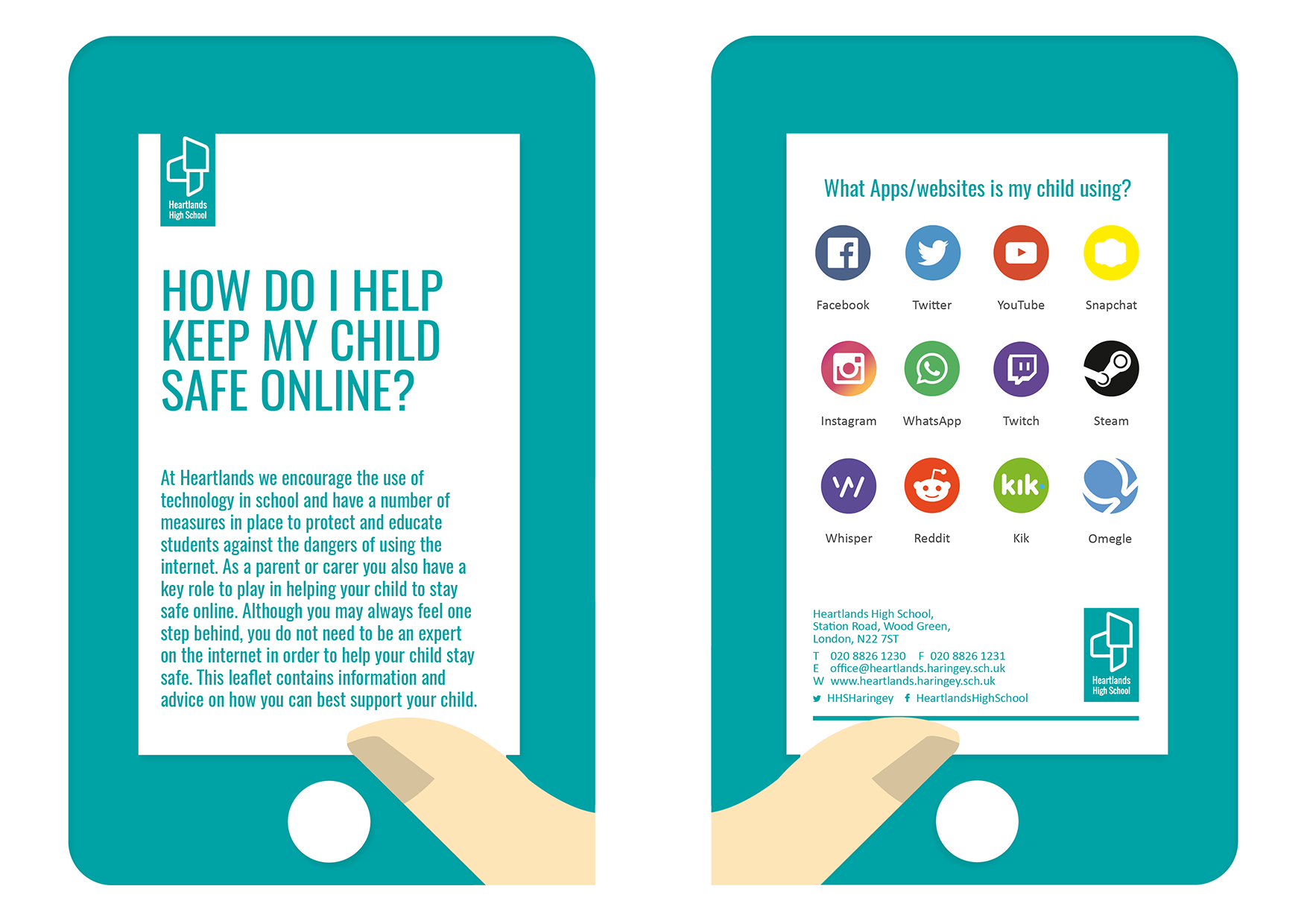
Parental advice leaflet
View and download (pdf)


What is my child doing online through social networking?

Children and young people go online to connect with friends, and make new ones, to browse the internet for information, chat with others and play games. They may:

  • Search for information or content on search engines like Google and Bing
  • Share images and watch videos through websites or mobile apps like Instagram, Pinterest, Vine, YouTube and Whatsapp
  • Use social networking websites like Facebook and Twitter
  • Write or reply to messages on forums and message boards
  • Play games alone or with others through websites, apps or game consoles
  • Chat with other people through online games, BBM (Blackberry Messenger), game consoles, webcams, social networks and tools like Whatsapp.
  • When online, children and young people can learn new things, get help with homework, express themselves creatively and connect with friends and family.
    There are also risks, but by understanding and talking about the dangers you can help keep your child safe online.

A more detailed guide to the social networks your child uses can be found on the Net Aware website: www.net-aware.org.uk


What are the risks that my child could face?

Understanding the potential risks and encouraging safe and responsible use of the internet are crucial steps towards ensuring the safety of your child. Depending on the role that your child takes, whether the recipient, participant or actor, there are a number of potential risks as outlined below.

Risks for Children in the Digital Environment
Risk Categories Content risks Conduct Risks Contact Risks Consumer Risks
Cross-cutting risks
Privacy Risks (interpersonal, Institutional & Commercial
Advanced Technology Risks (e.g. AI, IoT, Predictive Analytics, Biometrics
Risks on Health & Wellbeing
Risk Manifestations Hateful content Hateful behaviour Hateful encounters Marketing risks
Harmful content Harmful behaviour Harmful encounters Commercial profiling risks
Illegal content Illegal behaviour Illegal encounters Financial risks
Disinformation User generated problematic bahviour Other problematic encounters Security risks

Parents and carers play a key role in supporting children to learn about how to stay safe online, and they are one of the first people children turn to if things go wrong. We know it can be difficult to stay on top of the wide range of sites and devices that young people use, so we hope that the following advice helps.

  • Have ongoing conversations with your children about staying safe online
  • Carry out spot checks on the devices that your children use, looking at images, videos, and social media
  • Use safety tools on social networks and other online services, e.g. Facebook privacy settings
  • Decide if you want to use parental controls on your home internet
  • Understand devices and the parental control tools they offer. A useful guide can be found on the UK Safer Internet Centre’s website.


How can I report safety concerns?

If you are concerned that your child is in immediate danger, call 999. If it is a less immediate concern, you should contact your local police station.

If you’re worried that your child is being groomed online or sexually exploited you should also report your concerns to the Child Exploitation & Online Protection Centre (CEOP). You can report your concern through their website: www.ceop.police.uk/safety-centre

If you are concerned that your child is being bullied at school, you should contact the child protection officer, or your child’s head of house. Staff details can be found here.

Our eSafety advice leaflet, aimed at parents and carers who wish to develop their understanding of internet safety issues and support their children. There are also a range of useful websites listed below:

Think you know
www.thinkyouknow.co.uk

Child Exploitation and Online Protection
www.ceop.police.uk/safety-centre/

NSPCC – Online Safety
www.nspcc.org.uk

UK Safer Internet Centre
www.saferinternet.org.uk

Get Safe Online
www.getsafeonline.org

Powered by E-safety Support

tuknowceopnspccukcentregso1

IN THIS SECTION

  • Parental Calendar
  • Safeguarding your Child
    • The Child Protection team/reporting
    • Supporting Your Child's Mental Health & Wellbeing
    • Latest Safeguarding news!
    • Internet Safety Advice
    • Place2Be
    • Parents’ Guide to Teaching Your Teen Online Safety
  • Anti-Bullying
  • School Day
  • School Meals
  • Year 7 Literacy and Numeracy Catch-Up Premium
  • Parent Pay
  • SEND
  • Family support
Heartlands Logo Search Education Trust Logo

Contact Details

Headteacher: Ms Elen Roberts

Heartlands High School,
Station Road, Wood Green,
N22 7ST

020 8826 1230

office@heartlands.haringey.sch.uk

Useful Links

  • Cookie Policy
  • Search Education Trust
  • Ofsted
  • Term Dates
  • SEND
  • FAQs
School website powered by Realsmart Logo